Juniper Switch: Getting Started with Junos CLI
The essential Junos commands I use for initial switch setup - hostname, management IP, VLANs, and SSH access.
Coming from Cisco, Junos felt different. The commit model threw me off at first - you make changes, but nothing happens until you commit. Once I got used to it, I actually prefer it. You can stage multiple changes and apply them atomically.
Here's how I configure a Juniper switch from factory defaults.
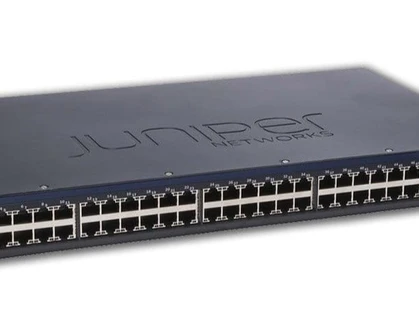
Initial Setup
Set hostname and domain:
set system host-name SW-CORE-01
set system domain-name example.com
Configure management interface:
set interfaces ge-0/0/0 unit 0 family inet address 192.168.1.2/24
Add default route:
set routing-options static route 0.0.0.0/0 next-hop 192.168.1.1
Enable SSH:
set system services ssh
Nothing happens yet. You have to commit.
The Commit Model
This is what makes Junos different. All your changes sit in a candidate configuration until you commit:
commit
If there's a syntax error or conflict, the commit fails and nothing changes. This is safer than Cisco's immediate application model.
Useful commit options:
commit check          # Validate without applying
commit confirmed 5    # Auto-rollback in 5 minutes unless confirmed
commit comment "Added VLAN 10"
I use commit confirmed for remote changes. If I accidentally lock myself out, the switch rolls back automatically.
VLAN Configuration
Create a VLAN:
set vlans Sales vlan-id 10
set vlans Engineering vlan-id 20
Assign ports:
set interfaces ge-0/0/1 unit 0 family ethernet-switching vlan members Sales
set interfaces ge-0/0/2 unit 0 family ethernet-switching vlan members Engineering
Create trunk port:
set interfaces ge-0/0/24 unit 0 family ethernet-switching interface-mode trunk
set interfaces ge-0/0/24 unit 0 family ethernet-switching vlan members [Sales Engineering]
Link Aggregation
Junos calls it aggregated Ethernet (ae):
set chassis aggregated-devices ethernet device-count 2
set interfaces ae0 aggregated-ether-options link-speed 1g
set interfaces ae0 aggregated-ether-options lacp active

set interfaces ge-0/0/1 ether-options 802.3ad ae0
set interfaces ge-0/0/2 ether-options 802.3ad ae0
Firewall Filters
Junos firewall filters are like extended ACLs:
set firewall family inet filter BLOCK-SSH term 1 from protocol tcp
set firewall family inet filter BLOCK-SSH term 1 from destination-port 22
set firewall family inet filter BLOCK-SSH term 1 then discard
set firewall family inet filter BLOCK-SSH term 2 then accept

set interfaces ge-0/0/1 unit 0 family inet filter input BLOCK-SSH
The explicit accept term at the end is important - Junos has an implicit deny.
Verification Commands
show configuration              # Full config
show vlans                      # VLAN status
show interfaces terse           # Interface summary
show ethernet-switching table   # MAC table
show lacp interfaces            # LAG status
show system commit history      # Commit log
Rolling Back
Made a mistake? Junos keeps the last 50 configurations:
show system rollback compare 0 1    # Diff between current and previous
rollback 1                          # Restore previous config
commit                              # Apply the rollback
This has saved me more than once.
Key Takeaways
- Changes don't apply until you
commit- this is safer than immediate application - Use
commit confirmedfor remote changes to avoid lockouts - VLAN membership is set on the interface, not the VLAN
- Firewall filters need an explicit accept term at the end
- Keep rollback in mind - it's your safety net
Written by Bar Tsveker
Senior CloudOps Engineer specializing in AWS, Terraform, and infrastructure automation.
Thanks for reading! Have questions or feedback?